Electric meter 'd2' error explained
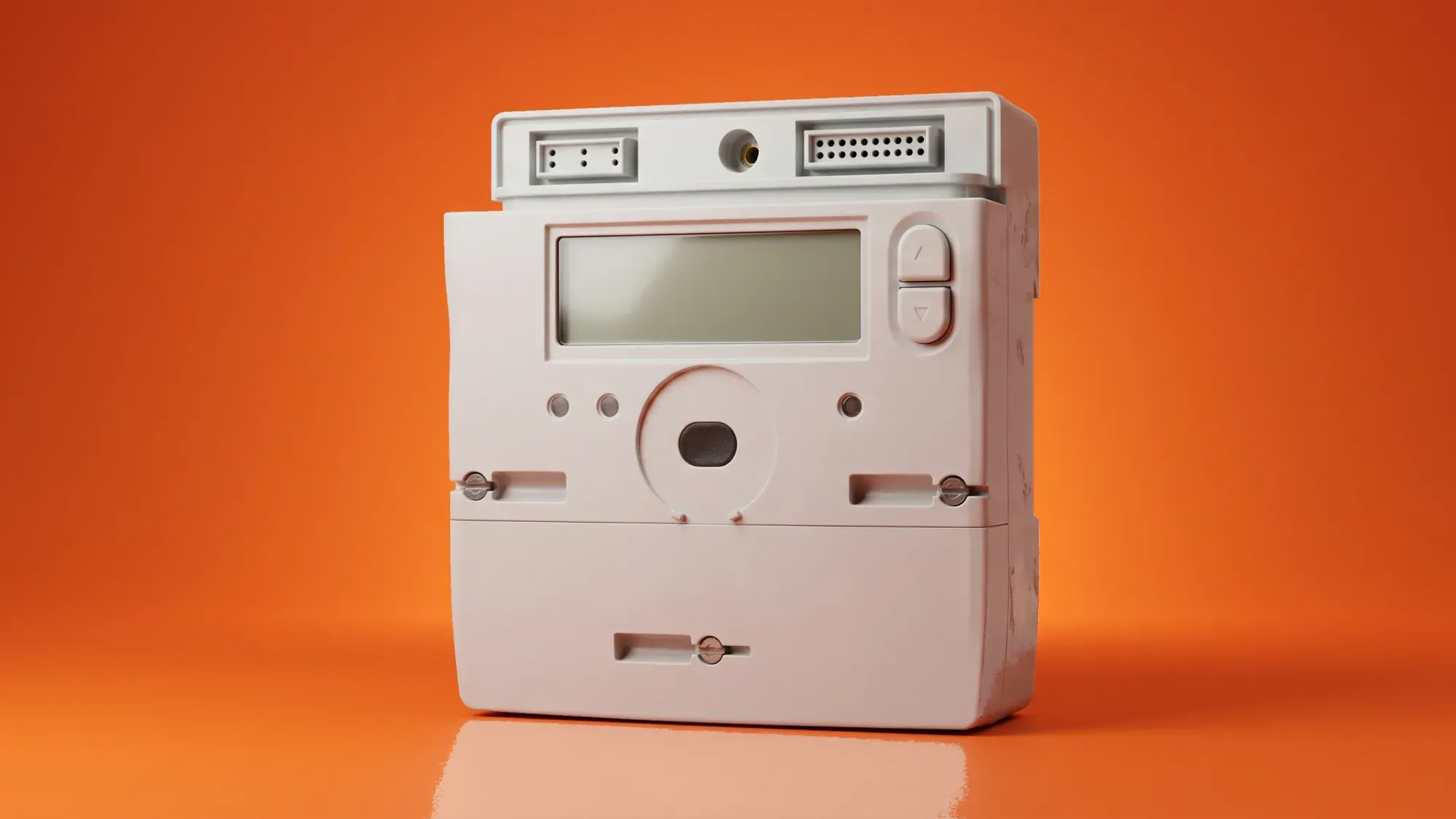
Seeing a 'd2' error on your electric meter typically indicates a problem with older prepayment or 'key' meters, often preventing you from topping up or restoring your energy supply. This error usually signals insufficient credit or a communication fault, highlighting that your meter needs attention to ensure continuous energy.
If you are experiencing issues with an older meter, your current supplier is responsible for upgrading it to a smart meter at no direct cost. Once that's done, you can switch to Fuse Energy for clear pricing, real-time usage data, and a modern energy experience designed around you. Click here to see how easy it is to get started.
Enter your address to get a quote and see how much you could save
What the 'd2' error means on your electric meter
The 'd2' error code on an electric meter is primarily associated with older, traditional prepayment meters in the UK. It generally signals that there isn't enough credit on your key or card, or on the meter itself, to bring you out of emergency credit or to accept a new top-up. Essentially, your meter is indicating it requires more funds to resume normal operation or to clear an existing emergency credit debt.
Identifying a traditional prepayment meter
Traditional prepayment meters, often called 'key' or 'card' meters, require you to manually top up credit using a physical key or card at a shop or Post Office. They typically have a small digital display and a slot for inserting your key or card. These meters contrast with modern smart meters, which send readings automatically to your supplier and often come with an in-home display unit.
Common causes of the 'd2' error
The 'd2' error usually points to a credit-related problem. Common causes include:
- Insufficient credit: You may not have topped up enough to cover your usage and any outstanding debt, including emergency credit that needs to be repaid.
- Key/card issue: The physical key or card might be dirty, damaged, or corrupted, preventing the meter from reading it correctly.
- Communication fault: There could be a temporary communication problem between the key/card and the meter itself.
- Outstanding debt: If you've used emergency credit or have other outstanding debt with your supplier, the meter might be programmed to take a portion of your top-up towards this debt. If the top-up isn't large enough, it can trigger the 'd2' error.
Immediate steps to troubleshoot a 'd2' error
When faced with a 'd2' error, there are a few immediate steps you can take to try and resolve the issue.
Checking your credit and key/card
First, ensure you have sufficient credit on your key or card. The 'd2' error often means you need to top up more to clear any emergency credit or debt. If you've recently topped up, double-check your receipt to confirm the credit was successfully applied. Also, inspect your key or card for any visible damage or dirt. A clean, undamaged key is essential for proper communication with the meter.
Re-inserting your key or card correctly
Remove your key or card from the meter and re-insert it firmly and correctly. Sometimes, a loose or incorrect insertion can cause a communication error. Ensure the metal contacts on the key are clean; gently wipe them with a dry, soft cloth if necessary.
Understanding emergency credit and debt
Emergency credit is a safety net that provides a small amount of energy when your regular credit runs out, especially outside of normal working hours. However, this is a loan that must be repaid with your next top-up. If you have used emergency credit, your meter will deduct this amount from your next top-up. If your top-up isn't enough to cover the emergency credit and provide new energy, the 'd2' error can appear.
What is emergency credit on an electric meter?
Emergency credit is a small, temporary loan of energy provided by your supplier when your prepayment meter runs out of credit, typically activated automatically or manually. It ensures your supply continues, especially during times when you can't top up. This credit must be repaid with your next top-up.
When to contact your energy supplier
If the troubleshooting steps don't resolve the 'd2' error, or if you suspect a fault with the meter or key, it's time to contact your energy supplier. They are responsible for maintaining and servicing your meter.
Information to have ready
When you call your supplier, have the following information to hand:
- Your account number or address.
- The exact error message displayed on your meter (e.g., 'd2').
- Your meter's serial number (usually found on the meter itself, often near a barcode).
- Details of any recent top-ups, including dates and amounts.
- A description of the troubleshooting steps you've already taken.
What your supplier can do
Your energy supplier can provide specific troubleshooting advice for your meter model. They can also:
- Check your account for any outstanding debt or issues.
- Arrange for a replacement key or card if yours is faulty.
- Schedule an engineer visit to inspect, repair, or replace a faulty meter.
- Discuss options for upgrading your traditional prepayment meter to a smart meter.
The shift to smart meters: why upgrading matters
The 'd2' error is a symptom of outdated metering technology. The energy industry in the UK is moving away from traditional meters towards smart meters, which offer significant benefits.
The Radio Teleswitch service (RTS) phase-out
Many older prepayment meters, particularly those with multi-rate tariffs like Economy 7 or Economy 10, rely on the Radio Teleswitch Service (RTS) to switch between peak and off-peak rates. This service began an industry-wide phase-out on 30 June 2025. If you have an RTS meter, your energy supplier is mandated to replace it with a smart meter to avoid disruption to your heating and hot water supply. Ofgem, the energy regulator, has been working with suppliers to manage this transition and ensure consumers are protected.
Benefits of a smart meter upgrade
Upgrading to a smart meter brings several advantages:
- Accurate bills: Smart meters send readings automatically, eliminating estimated bills and ensuring you only pay for the energy you use. This can also help you with understanding your energy bill: a complete guide.
- Real-time usage data: An in-home display unit shows your energy consumption in real-time, helping you understand and manage your usage more effectively.
- Easier top-ups: Smart prepayment meters often allow you to top up via an app or online, removing the need for physical keys or cards.
- Access to better tariffs: Smart meters enable access to time-of-use tariffs, which can offer cheaper rates at certain times, allowing you to save money by shifting your energy consumption.
Your supplier's role in upgrading
Energy suppliers are responsible for replacing traditional prepayment meters, including RTS meters, with smart meters at no direct cost to the customer. They will contact you to arrange the upgrade, and it's important to respond promptly to avoid potential issues with your energy supply. You can learn more about what to expect during a smart meter installation.
Beyond 'd2': a modern energy experience with Fuse
The frustration of a 'd2' error highlights the limitations of outdated energy technology. At Fuse Energy, we believe in a future with power to play with, where energy is abundant and easily managed.
Why Fuse Energy doesn't support traditional prepayment meters
Fuse Energy focuses on providing a modern, digital-first energy experience. We do not support traditional (legacy) prepayment meters, including those that use keys or cards. Our systems are designed for smart meters, which allow for transparent pricing and in-app usage data. If you have a smart prepayment meter, Fuse can convert it to credit mode upon switching, eliminating the need for constant top-ups and the anxieties associated with them.
Switching to Fuse after your smart meter upgrade
If you currently have a traditional prepayment meter and are experiencing a 'd2' error, your first step is to contact your current energy supplier to resolve the issue and arrange for a smart meter upgrade. Once your meter has been upgraded to a smart meter by your current supplier, you can then consider switching to Fuse Energy. We offer a straightforward, app-based system that provides clear pricing and real-time insights into your energy usage, moving you away from the frustrations of legacy metering towards a more reliable and modern energy system.
Managing your energy bills should be clear and easy to understand. Fuse Energy focuses on straightforward pricing, so you can see exactly what you're paying without unnecessary complexity. If you have a smart meter, you can view detailed usage data through the app or website, helping you understand how you can lower your bills. Our 24/7 human support team is always on hand with fast response times whenever you need help. Click here to switch to Fuse Energy today. Find out about our mission by clicking here.
Disclaimer
For the avoidance of doubt, this article is provided for informational purposes only and is not intended to constitute legal or financial advice. The author and/or Fuse Energy shall not be responsible for any losses arising out of any reliance on the information contained herein.