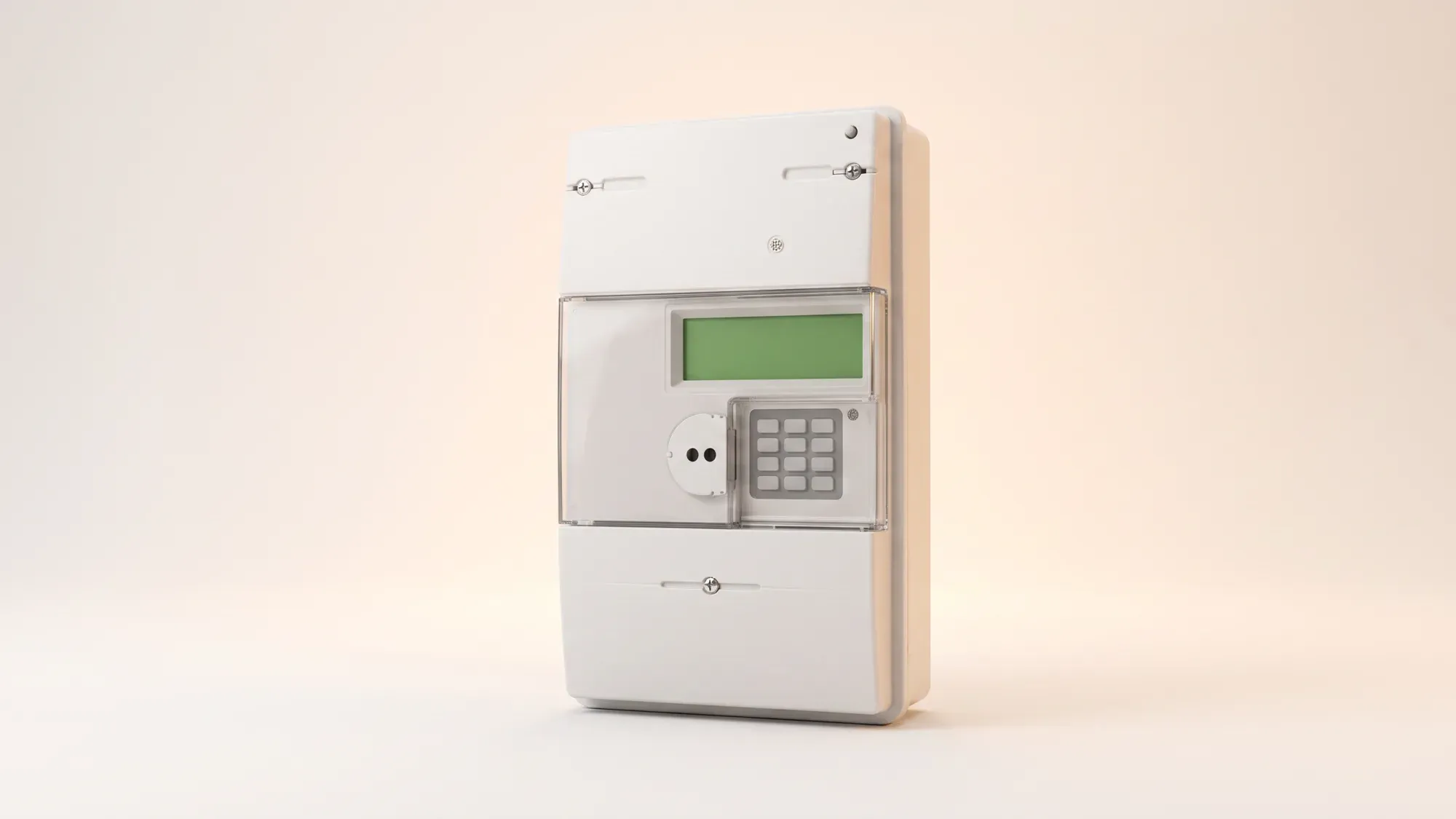
The Secure Liberty 100 smart meter is one of the most common smart electricity meters installed in UK homes, but getting a correct reading can still be confusing, especially if you're on an off-peak tariff. Unlike older analogue meters, this meter requires you to navigate through screens to find the exact numbers your supplier needs. Whether you're moving house, switching to a more modern supplier like Fuse Energy, or simply checking your usage, this guide walks you through the precise steps.
Take the stress out of meter readings and billing for good. With Fuse Energy, you can choose between typing in your meter reading or taking a photo of it in our app if you don't have a connected smart meter and we'll handle the rest. Get clear bills, real-time half-hourly usage data, 24/7 human customer support, and a modern energy experience designed around you. Switch to Fuse Energy today in as little as 3 minutes, save annually on your bills, and see how simple energy can be.
A quick checklist
- Locate the meter itself. Readings must be taken from the Secure Liberty 100 unit, not the in-home display (IHD).
- Press the "A" button to wake the screen up.
- Press 9 on the keypad to see the total import screen.
- You should see the total import reading in kWh.
Correct readings are the foundation of accurate billing. Although your Secure Liberty 100 is designed to send readings automatically, smart meter communication can occasionally fail or readings can be replaced with estimates. This means it's essential to know how to retrieve the correct figure manually. When switching suppliers or resolving a billing dispute, only the meter reading taken directly from the device itself is considered definitive.
Taking a Secure Liberty 100 meter reading is straightforward once you understand the button sequence. You do not need to navigate complex menus.
- Press the "A" button to wake the screen if it's blank.
- Press 6 to see the total "IMP R01" reading in kWh. If on a single-rate tariff, this is your total reading. If you're on an off-peak tariff, this is usually your peak usage reading.
- Press 6 again until you see the code "IMP R02" which is usually the nighttime off-peak reading.
The most common source of confusion is the terminology used on the display. "IMP R01" and "IMP R02" are simply labels for separate billing registers. IMP stands for import, meaning electricity drawn from the grid.
- "IMP R01" is usually your off-peak or nighttime electricity usage.
- "IMP R02" is usually your peak or daytime usage.1
If you are on a single-rate tariff, only the total import reading will be relevant. If you are on an off-peak, Economy 7, or another off-peak tariff, both readings are required. Mixing these up can result in incorrect billing and later adjustments. If you are unsure which rate is peak or off-peak, contact your supplier for confirmation.
Common mistakes to avoid:
- Recording only one rate when on an off-peak tariff.
- Including digits after the decimal point.
- Using the IHD instead of the meter to submit reads.
The Secure Liberty 100 should automatically send your consumption data to your supplier on a regular basis. However, readings can sometimes fail to transmit, especially after a change in communication technology or a supplier switch. Knowing how to manually check your meter read is a vital backup plan. With Fuse Energy, our app acts as an IHD in your pocket, so you can track half-hourly usage data in real-time, wherever you are.
What to do if the screen is blank or not responding
- Check that your home has power and that no fuses have tripped.
- Press and hold the main "A" button for five to ten seconds to wake the display.
- If the screen remains blank, contact your supplier immediately.
Managing your energy shouldn't feel like a monthly chore. While submitting meter readings can be necessary, Fuse Energy removes the friction around it. Instead of navigating clunky portals, you can simply upload a photo of your meter or type in the reading in our app, making the process faster, clearer, and less error-prone. You also get real-time, half-hourly usage data in the app and website if you have a connected smart meter. Our 24/7 human support team is always on hand with fast response times of under 5 minutes whenever you need help. Switch to Fuse Energy in as little as 3 minutes and find out about our mission.
Does the Secure Liberty 100 send automatic readings?
Yes, it is designed to send readings automatically as it's a SMETS1 smart meter. However, communication issues can occur, which is why knowing how to take a manual reading is essential as a backup.
Can I get a gas reading from my Secure Liberty 100?
No. The Secure Liberty 100 is an electricity meter. Your gas reading must be taken directly from your separate gas meter.
What should I do if my meter is broken or faulty?
If you suspect your physical meter is broken, such as the display being blank or showing an obvious error code, you must contact your supplier immediately. They are responsible for the maintenance and repair of the meter and will arrange for an engineer to come and investigate and replace the unit if necessary.
Do I still need to submit readings if I switch to Fuse Energy?
In most smart meter homes, you shouldn't need to submit regular manual readings because data is collected automatically. If you have a non-smart meter, Fuse Energy makes the process straightforward and transparent by giving you multiple options to submit each month. The goal is fewer estimated bills and less administrative work for you.
References
- OVO Energy. OVO SMETS1 Secure Liberty 100/110 smart meter guide