Secure Liberty 100: how to read your meter
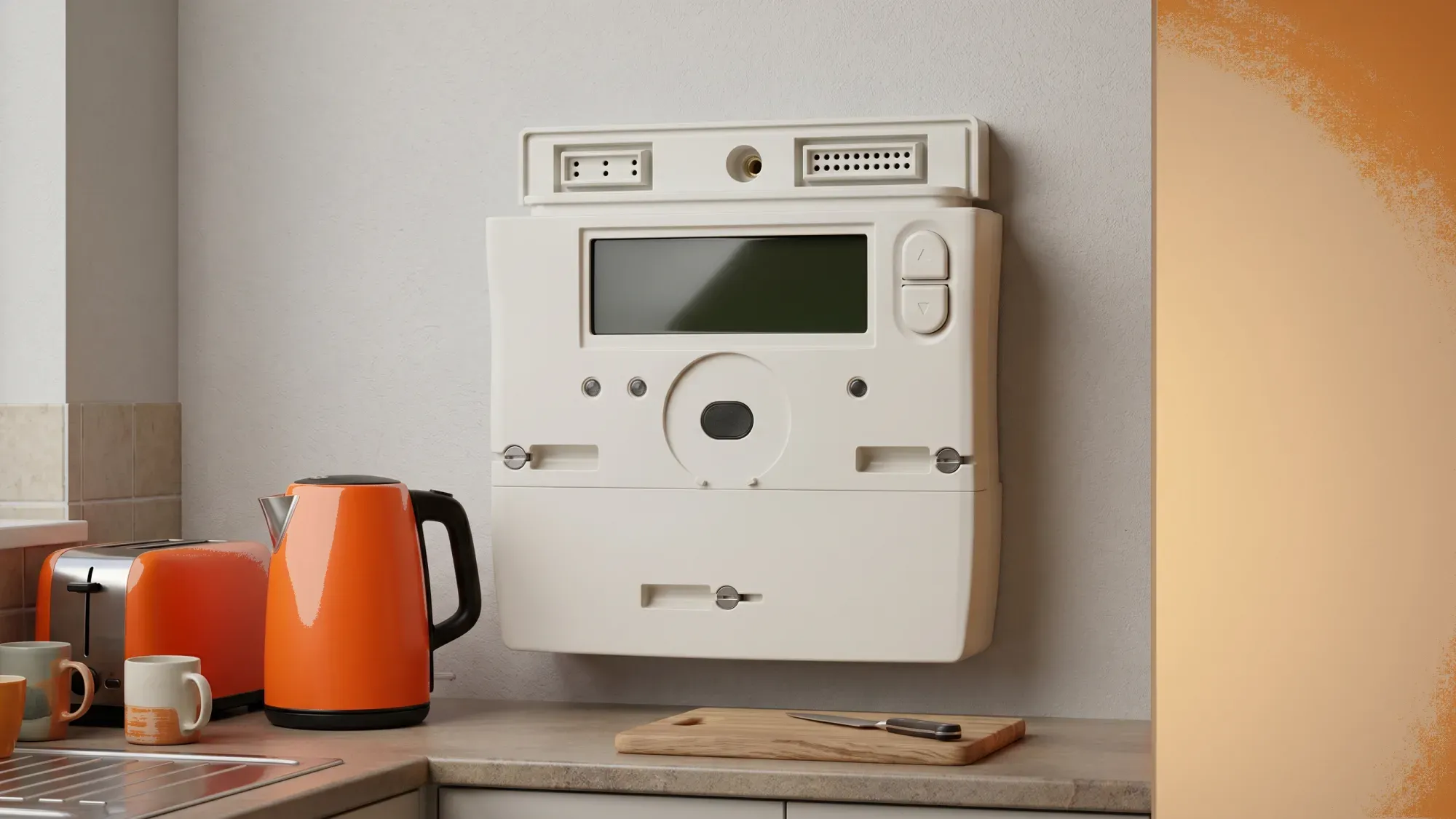
The Secure Liberty 100 is a SMETS2 compliant smart electricity meter, designed for automated readings and enhanced energy management. Understanding its display and functions is key to monitoring electricity usage and managing energy costs effectively. This guide will walk you through how to read, operate, and troubleshoot your Secure Liberty 100 meter, helping you make informed decisions about your energy consumption.
Understanding your meter is the first step towards taking control of your energy use. Fuse Energy aims to make energy simple and transparent, helping you manage your home's electricity efficiently. Click here to switch to Fuse Energy today.
Enter your address to get a quote and see how much you could save
Understanding your Secure Liberty 100 smart meter
What is a Secure Liberty 100?
The Secure Liberty 100 is a SMETS2 compliant smart electricity meter, meaning it adheres to the second generation of Smart Metering Equipment Technical Specifications. These meters are designed to automatically send your electricity readings to your energy supplier, eliminating the need for manual submissions and helping ensure accurate billing. They also provide you with near real-time information about your energy usage, which can be invaluable for managing your consumption. SMETS2 meters communicate with energy suppliers via the Data Communications Company (DCC) network, ensuring interoperability even when switching suppliers.
SMETS1 vs SMETS2: the evolution of smart meters
Smart meters in Great Britain come in two main generations: SMETS1 and SMETS2. SMETS1 meters were the first generation, often communicating only with the supplier who installed them. This meant that if you switched energy providers, your SMETS1 meter might lose its smart functionality and revert to being a "dumb" meter, requiring manual readings again.
SMETS2 meters, like the Secure Liberty 100, are a significant improvement. They connect to a single national communications network called the DCC, which is independent of any one supplier. This ensures that your smart functionality remains active even if you change energy providers, providing more reliable data and greater flexibility for customers.
How to read your Secure Liberty 100 meter
Navigating the display
The Secure Liberty 100 meter typically displays information via a button-press interface, showing credit, usage, and tariff details. To navigate the display and find your readings, you'll usually press a button, often labelled 'A' or 'Display', to cycle through different screens. Each press will show you a new piece of information, such as your current credit balance, your electricity consumption, or the time and date. For a more detailed guide on how to read various smart meter types, you can refer to our article on how to read your smart meter.
Understanding your readings
When taking a meter reading for electricity, you'll typically look for a screen that displays your consumption in kilowatt-hours (kWh). This reading represents the total amount of electricity you've used. Monitoring this figure regularly can help you track your energy habits and identify periods of high usage. According to Ofgem1, the average UK home uses around 2,500 kWh of electricity per year, so understanding your own usage against this benchmark can be helpful for managing costs effectively. To learn more about this unit of measurement, see our guide on what is a kilowatt hour.
Managing prepayment with Secure Liberty 100
Topping up your meter
As a prepayment meter, the Secure Liberty 100 requires you to top up credit before consuming electricity. For cash top-ups, you can generate a barcode on your energy supplier's website and scan it at a Post Office. It's important to ensure your meter has sufficient credit to avoid supply interruptions. For a comprehensive overview of how these meters work, read our article on prepayment meters explained.
Activating emergency credit
Emergency credit on prepayment meters is designed to provide a temporary supply of energy when your credit runs low. This feature typically offers around £10 to £15 of temporary credit, though some suppliers may offer more, especially in winter. To activate it, you usually need to press a specific button on your meter when your credit is nearly depleted. Your meter's display will often prompt you when emergency credit is available or has been activated.
What is emergency credit on a smart meter?
Emergency credit on a smart meter provides a temporary supply of energy, typically around £10 to £15, when your prepayment balance is running low. It's designed to give you time to top up before your supply is disconnected, acting as a safety net.
When to use emergency credit
Emergency credit is intended for short-term use, providing a buffer until you can top up your meter. It is not a long-term solution for managing your energy costs. Any emergency credit used will be recovered from your next top-up. Relying on it frequently can lead to higher costs in the long run as you'll always be playing catch-up with your balance.
Troubleshooting common Secure Liberty 100 issues
Meter not displaying
If your Secure Liberty 100 meter display is blank or unresponsive, first check if there's been a power cut in your area. If the power is on, try pressing the display button firmly. Sometimes, the display may enter a power-saving mode. If it remains blank, it could indicate an internal fault, and you should contact your energy supplier for assistance.
Connectivity problems
SMETS2 meters communicate via the DCC network to send readings to your supplier. If your Secure Liberty 100 meter is not sending readings automatically, it might have a connectivity issue. This could be due to a weak signal or a network problem. Your energy supplier can often diagnose and resolve these issues remotely.
Inaccurate readings
If you suspect your Secure Liberty 100 meter is providing inaccurate readings, you can compare the usage displayed on the meter with your own records or previous bills. Keep a log of your readings over a few days to see if the consumption patterns seem unusual. If you have persistent concerns, your energy supplier can arrange for a meter accuracy test. However, if the meter is found not to be faulty, you may be charged for the test.
Moving beyond prepayment: your options
Switching to credit mode
For many, prepayment meters can feel restrictive. If you're looking to move away from the need to constantly top up, switching to a credit billing system is an option. Fuse Energy, for example, has a policy of reverting smart prepayment meters to credit mode upon switching. This means that if you join Fuse with a smart prepayment meter like the Secure Liberty 100, it will be automatically switched to credit mode, removing the prepayment functionality.
The benefits of credit billing
Credit billing offers greater flexibility compared to prepayment. You receive a monthly bill for the energy you've used, allowing you to pay after consumption rather than upfront. This can make budgeting easier and removes the stress of needing to top up regularly or worrying about running out of credit. It also often provides access to a wider range of tariffs.
Fuse Energy and your meter
Fuse Energy aims to empower users to understand and control their energy usage, aligning with a vision of energy so abundant it stops being a thing you think about. By offering a clear path to move away from the constraints of prepayment meters like the Secure Liberty 100, Fuse helps users navigate a system that often feels restrictive. Fuse provides 24/7 human customer support for all energy-related queries, including understanding meter functionality and switching options.
Managing your energy should be simple and stress-free. With Fuse Energy, you get clear pricing, real-time usage data through the app, and 24/7 human customer support to help with any queries. Switching to Fuse is quick and easy, allowing you to take control of your energy bills and move towards a more flexible billing system. Click here to switch to Fuse Energy today. You can also learn more about our mission to transform energy by clicking here.
References
Disclaimer
For the avoidance of doubt, this article is provided for informational purposes only and is not intended to constitute legal or financial advice. The author and/or Fuse Energy shall not be responsible for any losses arising out of any reliance on the information contained herein.