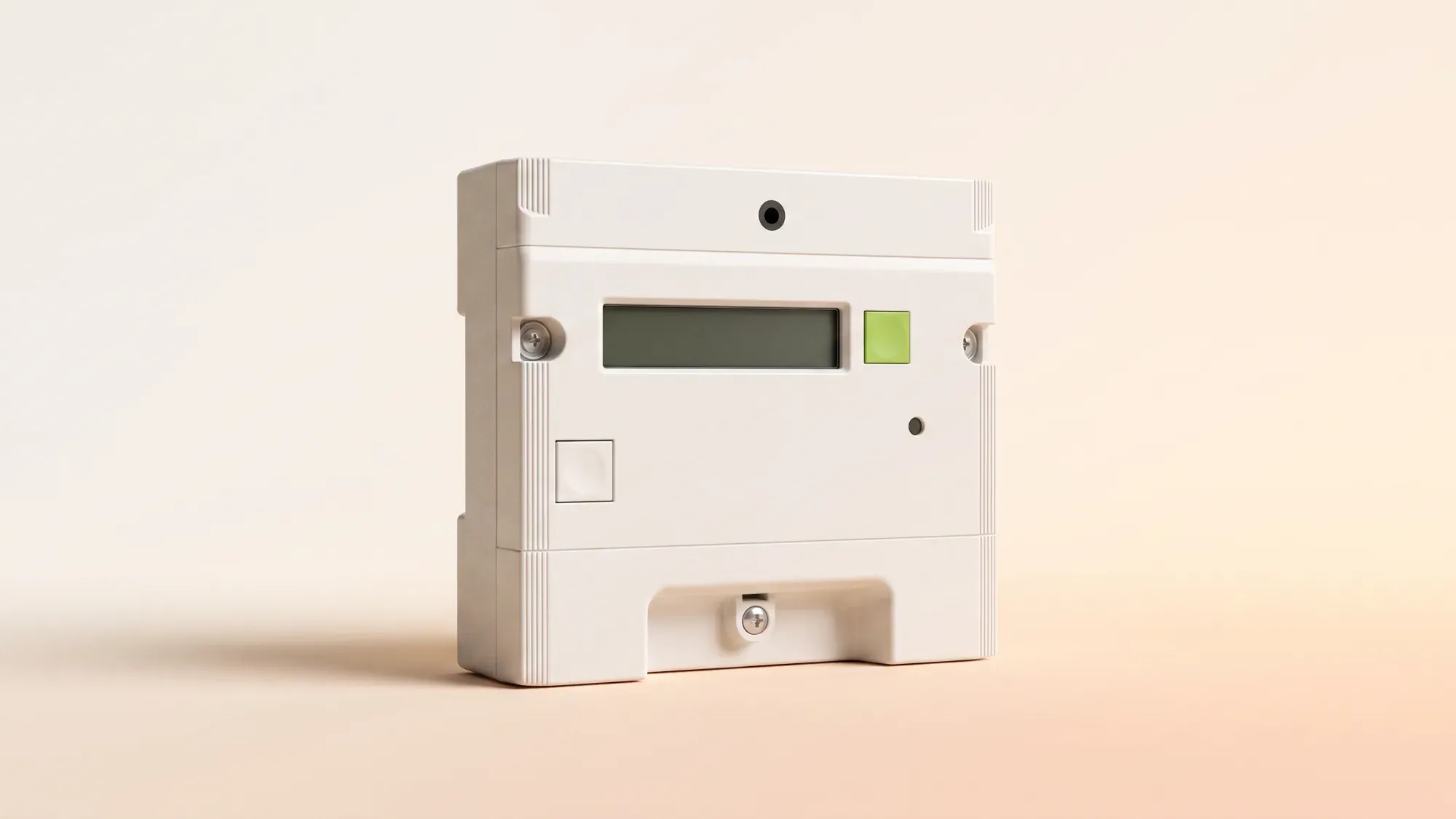
For many UK households, the Landis+Gyr E470 model is a common smart meter to have installed. Although it's designed to send readings automatically, there may still be times when you need to submit a manual reading. What do the "A" and "B" buttons do? Which screen shows the correct reading? This guide cuts through the complexity and explains exactly how to get the information you need from your E470 meter.
Take the stress out of meter readings and billing for good. With Fuse Energy, you can choose between typing in your meter reading or taking a photo of it in our app if you don't have a connected smart meter and we'll handle the rest. Get clear bills, real-time half-hourly usage data, 24/7 human customer support, and a modern energy experience designed around you. Switch to Fuse Energy today in as little as 3 minutes, save annually on your bills, and see how simple energy can be.
A quick checklist
- Locate your meter, commonly near the fuse box, under the stairs, or in a cupboard.
- Press the "A" button (the green button) to wake the screen.
- You should see "TOTAL Act Import" screen when waking the meter.
- Record the full number before the decimal point including leading zeros.
- Use the "B" button (the grey button) for backlight or other menus.
- If you are a Fuse Energy customer, check your account first for your latest automatic reading.
Taking your electricity reading from a Landis+Gyr E470 is straightforward once you understand how the display works. Unlike older analogue meters that showed just one screen, this smart meter can cycle through multiple screens. The only figure your supplier usually needs is your total electricity usage in kilowatt-hours (kWh). However, if you're on an off-peak tariff, you'll need to record the readings for both rates.
What the A and B buttons actually do
Landis+Gyr E470 meters have two main buttons labelled "A" and "B". The "A" button is used to scroll through the screens - each press moves you to the next screen. You will use this button to find your electricity reading. The "B" button typically turns on the backlight so you can read the display if dark.
How to find "TOTAL Act Import"
- Press the "A" button once to wake the screen.
- The "TOTAL Act Import" screen should be the first screen you see when waking the meter up.
- Record all digits shown before the decimal point.
- If you are on an off-peak tariff, press "B" for 10 seconds and press "A". This will toggle the screen to the "Rate 1" or "Rate 2" screen, where "Rate 1" is usually your daytime peak usage and "Rate 2" is your nighttime off-peak usage.1
"TOTAL Act Import" represents the total electricity you have used since the meter was installed. This is the figure your supplier uses to calculate your bill.
Gas meters are distinct
The Landis+Gyr E470 is an electricity meter. If you also have gas, you will have a separate gas smart meter installed elsewhere in your property. It is important not to confuse the two readings. Your gas meter will display usage in cubic metres or cubic feet, not kWh. Each meter must be read and submitted separately.
Managing your energy shouldn't feel like a monthly chore. While submitting meter readings can be necessary, Fuse Energy removes the friction around it. Instead of navigating clunky portals, you can simply upload a photo of your meter or type in the reading in our app, making the process faster, clearer, and less error-prone. You also get real-time, half-hourly usage data in the app and website if you have a connected smart meter. Our 24/7 human support team is always on hand with fast response times of under 5 minutes whenever you need help. Switch to Fuse Energy in as little as 3 minutes and find out about our mission.
Do I need to read my Landis+Gyr E470 gas meter as well?
The E470 model is an electricity meter only. If you have a gas meter, you must read it separately using its own instructions. The gas meter equivalent of the E470 model is the Landis+Gyr G470 model.
What should I do if my E470 screen is blank?
Check your home's fuse box first to check that all breakers are on. If the meter does not respond after pressing the "A" or "B" button, contact your supplier to report a potential technical fault. If determined to be faulty, the meter will likely need to be replaced.
Do I still need to submit readings if I switch to Fuse Energy?
In most smart meter homes, you shouldn't need to submit regular manual readings because data is collected automatically. If you have a non-smart meter, Fuse Energy makes the process straightforward and transparent by giving you multiple options to submit each month. The goal is fewer estimated bills and less administrative work for you.
References
- OVO Energy. Taking a manual meter reading from a Landis+Gyr E470 smart meter