How to turn your gas meter back on
When your gas supply cuts out, knowing how to restore it safely is crucial. This guide provides essential safety steps and clear instructions for common meter types, helping you understand when you can safely resolve the issue yourself and when professional help is needed.
Managing your home's energy should be straightforward and safe. Fuse Energy offers clear pricing, real-time usage data via the app, and 24/7 human customer support to help you manage your gas supply effectively. Click here to switch to Fuse Energy today.
Enter your address to get a quote and see how much you could save
Safety first: immediate actions and gas leak checks
Before attempting to address a gas supply issue, safety is paramount. Never proceed if you suspect a gas leak or are unsure about any step.
Recognising a gas leak
Gas leaks often smell like rotten eggs or sulphur. If you detect this smell, you must act immediately. Do not attempt to turn on your gas supply, operate any electrical switches, or use your mobile phone inside the property. Open all windows and doors to ventilate your home, turn off the gas supply at the meter if it is safe to do so, extinguish any naked flames, and evacuate the property.
Emergency contact: National gas emergency service
If you suspect a gas leak, call the National Gas Emergency Service on 0800 111 999 immediately. This service is free, available 24/7, and specifically for suspected gas leaks or the smell of gas. They will dispatch a Gas Safe registered engineer to investigate.
Turning off gas appliances
Before you attempt to restore your gas supply, ensure all gas appliances in your home are switched off. This includes your boiler, cooker, and any gas fires. This prevents gas from flowing into open burners or pilot lights, which could create a hazard when the supply is reconnected.
Identifying your gas meter type
Understanding your gas meter type is key, as reconnection procedures vary.
Traditional meters
These are older meters that require manual readings. They typically have a dial display and may have a red or black isolation valve nearby.
Smart meters
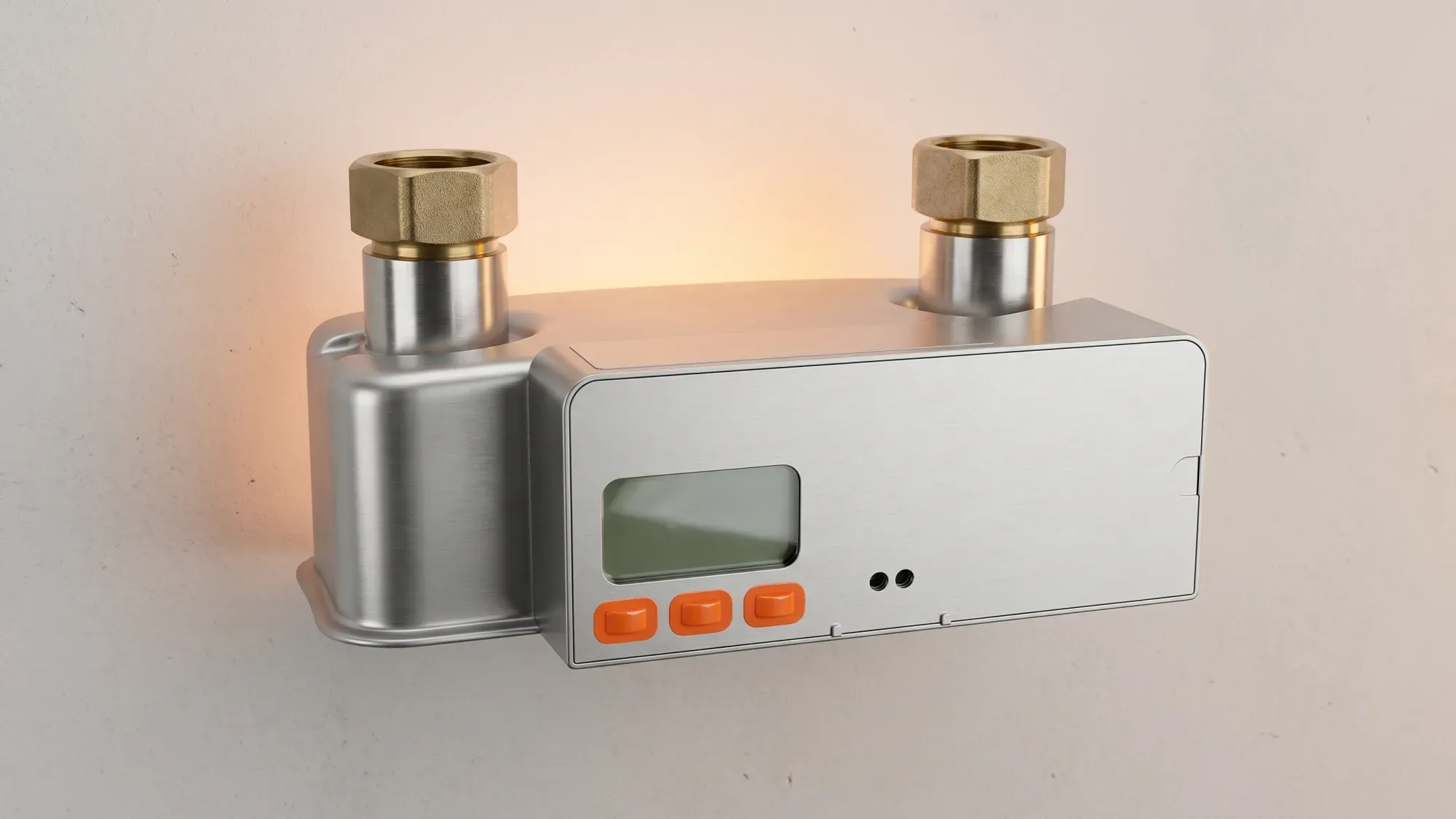
Smart meters automatically send readings to your energy supplier. They often have a digital display and buttons for navigating menus or checking credit. Gas smart meters operate on battery power, not mains electricity.
Pay as you go (PAYG) meters
PAYG meters allow you to pay for your gas in advance. They will cut off the gas supply when credit runs out. These can be either traditional prepayment meters or smart meters operating in PAYG mode.
Common reasons for gas supply interruption
Gas supply can be interrupted for several reasons, each requiring a specific approach.
Running out of credit (PAYG)
If you have a PAYG meter, the most common reason for a gas cut-off is running out of credit. Your meter will typically give warnings when credit is low before disconnecting the supply.
Emergency control valve (ECV) activation
Emergency Control Valves (ECVs) are typically located near the gas meter and can be used to turn off the gas supply. These might be activated by an engineer during maintenance, or by residents in an emergency.
Meter exchange or installation
If you have recently had a new meter installed or an old one exchanged, the gas supply may have been temporarily turned off by the engineer as part of the process. They should have restored it before leaving, but sometimes issues can arise.
Step-by-step: restoring your gas supply safely
Only attempt these steps if you are certain there is no gas leak and all gas appliances are off. If in doubt, contact your energy supplier or a Gas Safe registered engineer.
For traditional meters
- Check the ECV: Locate the Emergency Control Valve (ECV), usually a red or yellow lever near your meter. If it is at a right angle to the pipe, the gas is off.
- Turn ECV to 'On': Slowly turn the lever so it is in line with the pipe. This opens the gas supply.
- Wait: Allow a few minutes for the gas to flow through the pipes.
- Relight pilot lights: If any appliances have pilot lights, follow the manufacturer's instructions to relight them.
- Check appliances: Carefully turn on one gas appliance at a time to ensure the supply is restored.
For smart meters
- Check the meter display: Look for messages like "GAS OFF," "SUPPLY INTERRUPTED," or "RECONNECT." Gas meter displays often go to sleep to preserve battery, which is normal behaviour. Pressing and holding a button for about 10 seconds typically wakes the display.
- Locate the reconnect button: Many smart meters have a dedicated "reconnect" or "OK" button.
- Follow on-screen prompts: Press the reconnect button and follow any instructions on the meter's display. You may need to hold the button for a few seconds.
- Wait for supply: The meter will attempt to restore the supply. This can take a few minutes. The display should show "SUPPLY ON" or similar once successful.
- Check appliances: Once the meter confirms supply is on, carefully turn on your gas appliances.
It is important to note that if a smart gas meter's battery is fully depleted, particularly for older SMETS1 models, the gas supply will cut off and a meter exchange will be required by your energy supplier, as the battery is not user-replaceable. In such cases, user reconnection steps will not work, and you should contact your energy supplier.
For PAYG meters after topping up
If your PAYG meter cut off due to low credit:
- Top up: Ensure you have topped up your meter with sufficient credit.
- Insert key/card: Insert your top-up key or card into the meter as instructed. The meter should register the new credit.
- Check display: Look for messages confirming the credit has been added and prompting you to reconnect.
- Press reconnect button: Similar to smart meters, there is usually a button (often labelled "A" or "reconnect") to restore the supply. Hold it down if necessary, following the meter's instructions.
- Wait: The meter will attempt to reconnect. Wait for confirmation on the display.
- Check appliances: Once reconnected, turn on your gas appliances.
What is An ECV?
An ECV is a safety device, typically a red or yellow lever located near your gas meter, used to manually turn off the gas supply to your property. It is crucial for isolating the gas in emergencies or during maintenance, preventing gas flow into your home.
When to call for professional help
While some issues can be self-resolved, knowing when to call for professional assistance is vital for safety.
Persistent issues or uncertainty
If you have followed the steps for your meter type and the gas supply does not restore, or if you are unsure at any point, do not continue. Contact your energy supplier's customer service for guidance. Fuse Energy offers 24/7 human customer support to assist with complex gas supply issues when self-resolution is not possible.
Suspected gas leaks
As reiterated, if you smell gas, evacuate immediately and call the National Gas Emergency Service on 0800 111 999. Do not attempt to fix a suspected leak yourself.
Gas Safe registered engineers
All gas work in the UK must be carried out by a Gas Safe registered engineer. If you need a repair or suspect an issue beyond a simple reconnection, your energy supplier will arrange for a qualified engineer to visit. You can check an engineer's registration on the Gas Safe Register website.
Preventing future gas supply interruptions
Taking proactive steps can help you avoid future gas supply issues.
Monitoring usage with the Fuse app
The Fuse app helps customers monitor energy usage, potentially preventing future supply interruptions due to low credit or unexpected spikes. By tracking your consumption, you can better manage your energy and avoid surprises.
Managing PAYG credit
If you have a PAYG meter, regularly check your credit balance and top up before it runs low. Many suppliers offer automated top-up options or alerts to help you stay in credit.
Regular meter checks
Periodically check your meter for any error messages or unusual readings. Familiarise yourself with its operation, especially if you have a smart meter, to quickly identify and address minor issues. Smart meter batteries are designed to last 10-20 years, but can fail sooner.
Taking control of your home's energy supply means being prepared for interruptions and knowing how to respond safely. Fuse Energy is committed to providing you with the tools and support to manage your energy effectively. Our app offers clear insights into your usage, and our dedicated support team is always ready to help. Switch to Fuse Energy for a simpler, smarter way to power your home. Click here to get started today, and learn more about our mission to make energy abundant and affordable by clicking here.
Disclaimer
For the avoidance of doubt, this article is provided for informational purposes only and is not intended to constitute legal or financial advice. The author and/or Fuse Energy shall not be responsible for any losses arising out of any reliance on the information contained herein.