How to get a meter reading
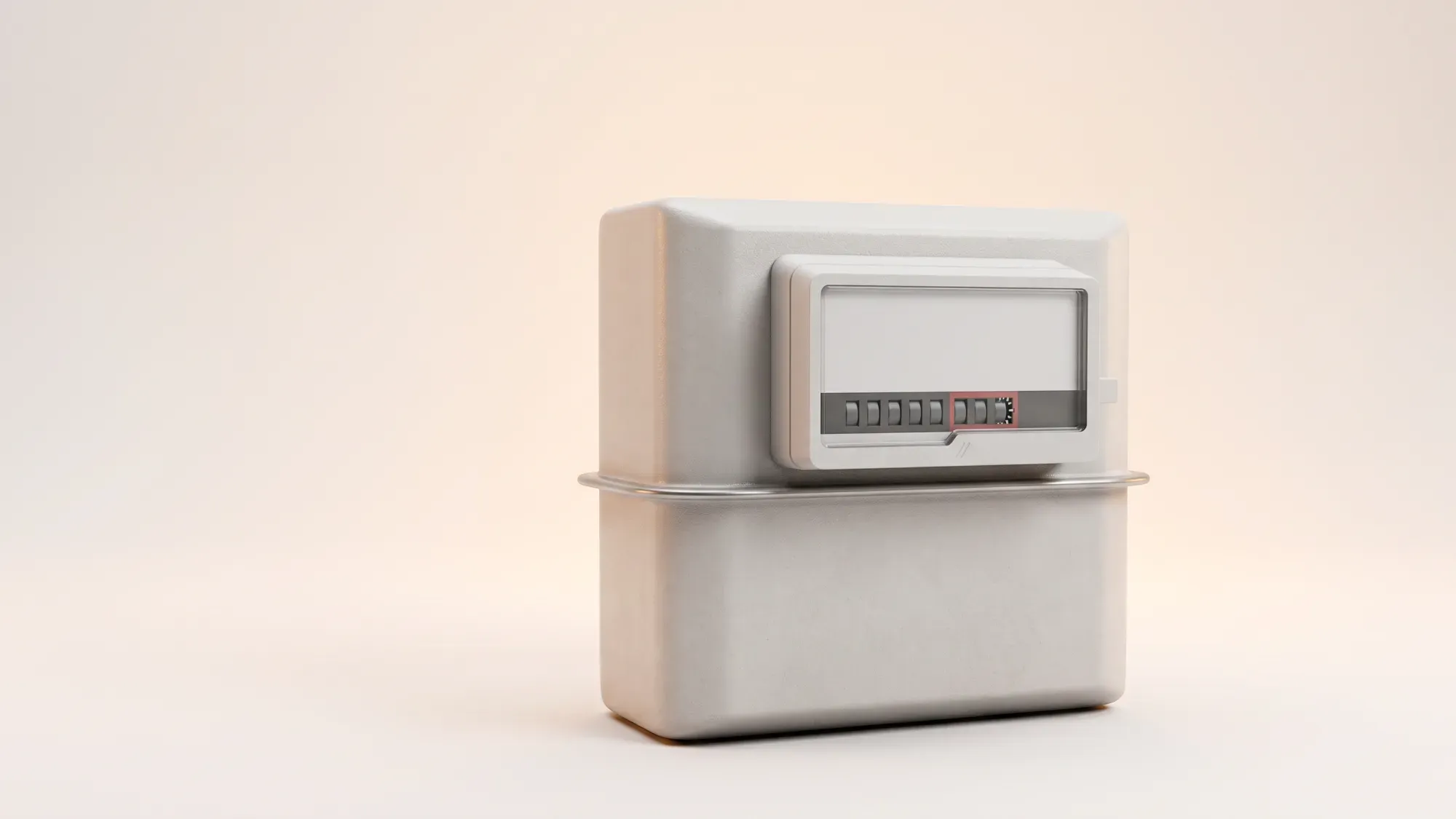
Stop the guesswork and get an accurate bill. Our simple, step-by-step guide helps UK bill-payers read any gas or electricity meter (smart, digital, or dial) correctly and quickly submit the reading to Fuse Energy. For millions of UK households managing monthly bills, taking a meter reading can feel like an unnecessary chore. However, submitting regular, accurate readings is the best way to ensure your energy bill reflects what you have actually used. This guide simplifies the entire process. Whether you have a traditional dial meter, digital meter, or smart meter, we explain exactly which numbers to record and how to submit them easily with Fuse Energy. With the right knowledge, reading your gas and electricity meters becomes quick, simple, and reliable.
Take the stress out of meter readings and billing for good. With Fuse Energy, you can choose between typing in your meter reading or taking a photo of it in our app and we'll handle the rest. Get clear bills, real-time half-hourly usage data, 24/7 human customer support, and a modern energy experience designed around you. Switch to Fuse Energy today in as little as 3 minutes, save annually on your bills, and see how simple energy can be.
Enter your address to get a quote and see how much you could save
A quick checklist
- Locate both your gas and electricity meters.
- Identify whether your meter is smart, digital, or dial.
- Submit meter readings on the first day of every month to ensure your bills are accurate.
- Ignore numbers shown in red or after the decimal point.
- Submit readings through the Fuse Energy app or website.
Why an accurate meter reading can save you money
Skipping meter readings may seem convenient, but it is one of the biggest causes of billing issues. When suppliers do not have an up-to-date reading, they estimate your usage using historical usage data. This estimate may not reflect your current household consumption, leading to unexpected corrections later on. Providing your meter reading ensures your bill is based on real usage rather than assumptions.
Actual usage beats estimated bills
In energy billing, actual readings always take priority over estimates. By submitting a reading regularly, you ensure your account reflects only the energy you have used. Fuse Energy actively prompts customers to provide accurate readings on the first day of every month if you don't have a connected smart meter. If you have a connected smart meter, you will be able to see half-hourly usage data in real-time within our app.
The smart meter advantage
Smart meters automatically send readings to your supplier, meaning you do not need to submit them manually. These meters transmit data securely through the national smart meter network.1 However, smart meters can occasionally lose connectivity, necessitating submitting a manual meter read to ensure your bills remain accurate.
What to look for on your smart meter display
Most smart meters show the reading on a digital screen. Press any button and toggle through the screens until you see the reading labelled with units such as kWh for electricity or m³/ft³ for gas. The displayed number represents your total energy consumption.
Reading non-smart meters
Although smart meters are increasingly common, many homes still use digital or dial meters. Each requires a specific reading method. Digital meters are those with a screen and display the reading digitally whereas dial meters have individual dials for each place value in the reading.
Reading a standard digital electricity or gas meter
- Locate your meter and wake the screen if needed.
- Read the numbers from left to right.
- Ignore any numbers in red or after a decimal point.
- Record all remaining digits, including leading zeros.
Reading a dial meter
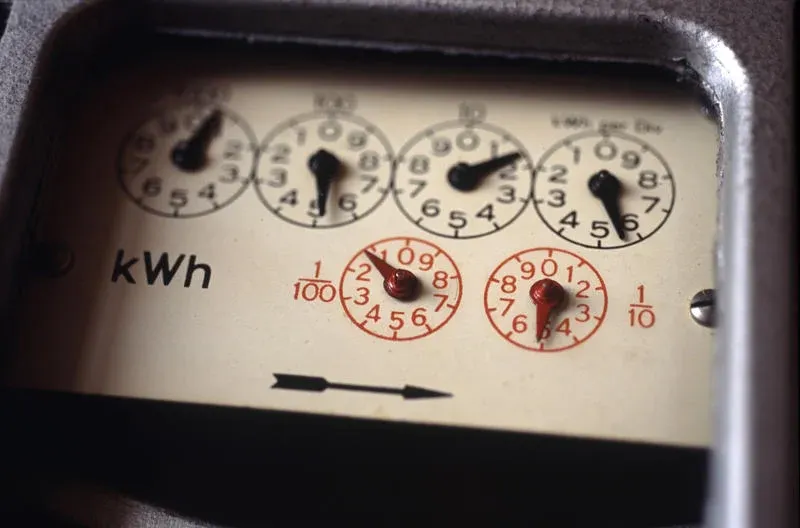
If you have a traditional dial meter (image below), read only the black or white dials and ignore any red ones. Work from left to right, writing down the number each pointer has just passed. If a pointer is between two numbers, always record the lower number (for example, between 3 and 4, write 3). The only exception is if it's between 9 and 0, write 9. If a pointer is exactly on a number, look at the dial to the right. If that dial has already moved beyond 0, keep the number you're on. If it hasn't reached 0 yet, record the previous number instead. This is where most mistakes happen, so take your time and double-check each dial before submitting your reading.
Read it right: three common mistakes you must avoid
- Including the red numbers or decimals: Digits after the decimal point represent fractions of energy units and should not be included in your reading unless your supplier specifically requests it.
- Confusing peak and off-peak rates if on an off-peak tariff: Always record both registers and ensure they are entered correctly. If you aren't sure which is which, contact your supplier who can guide you.
- Forgetting to submit on time: Failing to submit readings regularly may result in your supplier needing to estimate your usage, which may result in later corrections.
Simplify meter readings with Fuse Energy
Managing your energy shouldn't feel like a monthly chore. While submitting meter readings can be necessary, Fuse Energy removes the friction around it. Instead of navigating clunky portals, you can simply upload a photo of your meter or type in the reading in our app, making the process faster, clearer, and less error-prone. You also get real-time, half-hourly usage data in the app and website if you have a connected smart meter. Our 24/7 human support team is always on hand with fast response times of under 5 minutes whenever you need help. Switch to Fuse Energy in as little as 3 minutes and find out about our mission.
Frequently asked questions
What should I do if my meter is broken or faulty?
If you suspect your physical meter is broken, such as the display being blank or showing an obvious error code, you must contact your supplier immediately. They are responsible for the maintenance and repair of the meter and will arrange for an engineer to come and investigate and replace the unit if necessary.
Do I still need to submit readings if I switch to Fuse Energy?
In most smart meter homes, you should not need to submit regular manual readings because data is collected automatically. If you have a non-smart meter or an offline smart meter, Fuse Energy makes the process straightforward and transparent by giving you multiple options to submit each month: either by taking a photo or by typing your reading in the app, ensuring better visibility of your account status. The goal is fewer estimated bills and less administrative work for you.
References
- Data Communications Company. Operating Britain's secure smart meter network
Disclaimer
For the avoidance of doubt, this article is provided for informational purposes only and is not intended to constitute legal or financial advice. The author and/or Fuse Energy shall not be responsible for any losses arising out of any reliance on the information contained herein.