Your EDMI smart meter: how to read and understand it
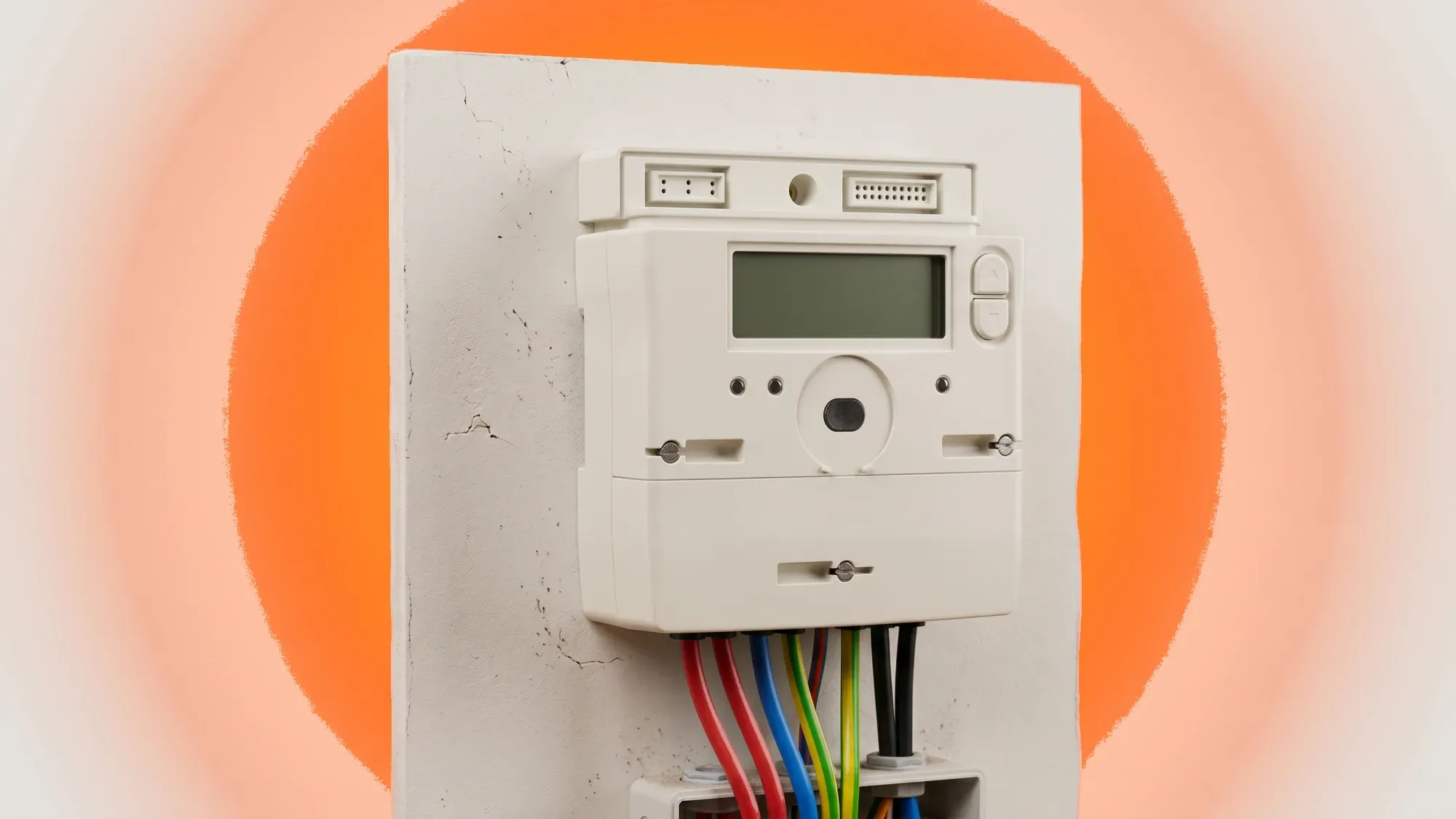
EDMI smart meters are a common sight in UK homes, offering a modern way to track energy use and manage bills. Understanding how your EDMI meter works, how to read its display, and what to do if issues arise puts you in control of your energy consumption. This guide covers everything you need to know about your EDMI smart meter, from interpreting readings to troubleshooting common problems.
Understanding your EDMI smart meter is the first step towards smarter energy management. Fuse Energy helps you get the most from it, offering clear insights into your usage and making it easy to take control of your bills. Click here to switch to Fuse Energy today.
Enter your address to get a quote and see how much you could save
Understanding your EDMI smart meter
EDMI is a significant manufacturer of smart meters installed across homes in the UK, playing a crucial role in the national smart meter rollout. These devices are designed to replace older, traditional meters, offering a range of benefits for energy management.
What is an EDMI smart meter?
EDMI smart meters are devices that automatically record and send your energy readings to your supplier, replacing the need for manual meter readings. They provide accurate, real-time energy consumption data, which helps you understand and manage your energy use more effectively. These meters are widely deployed in UK homes as part of the national smart meter rollout.
What is the primary function of an EDMI smart meter?
The primary function of an EDMI smart meter is to automatically record and transmit your electricity and/or gas consumption data to your energy supplier. This eliminates the need for manual meter readings, provides accurate billing, and offers real-time insights into your energy usage, empowering you to manage it more effectively.
SMETS1 vs SMETS2: key differences
SMETS stands for Smart Metering Equipment Technical Specifications. There are two main generations of smart meters in the UK: SMETS1 and SMETS2. SMETS2 is the current standard for smart meters, offering enhanced functionality and interoperability compared to SMETS1.
SMETS1 meters were rolled out from 2012 to 2018 and initially communicated only with the supplier who installed them. This meant that if you switched energy suppliers, your SMETS1 meter might lose its smart functionality, requiring you to submit manual readings. However, many SMETS1 meters are now being migrated onto the Data Communications Company (DCC) network, which is the same national network that SMETS2 meters use, to improve their connectivity and maintain smart features when switching suppliers.
SMETS2 meters, which became the standard in 2018, are designed to work with any energy supplier from the outset, making switching easier without losing smart functionality. Most EDMI smart meters deployed as part of the Great British smart meter rollout are SMETS2 compliant.
How to read your EDMI smart meter
Reading your EDMI smart meter involves navigating its display to find the information you need. The exact steps can vary slightly between models, but the general process remains consistent.
Reading your EDMI electricity meter
To read your EDMI electricity meter, typically an EDMI ES-10B or similar model, follow these steps:
- Access the main menu: Hold the 'OK' button until 'Billing' appears, then hold 'OK' again to enter the Billing menu.
- Navigate to advanced: Use the arrow buttons (e.g., '>') to scroll to 'Advanced' (usually two pushes of the arrow button), then hold 'OK' to enter. 'TOUmtrx' will appear.
- View rate information: Hold 'OK' to enter the TOU matrix sub-menu; 'RATE1' will appear.
- Cycle through rates: Use the arrow buttons to view 'Rate 1' and 'Rate 2' (if applicable for multi-rate tariffs). Record the numbers displayed for each rate.
Reading your EDMI gas meter
EDMI gas meters, like their electricity counterparts, are designed for straightforward reading.
- Locate the display: Find the display screen on your gas meter.
- Press the 'A' or 'Display' button: Press the 'A' or ' ' button to scroll through the display.
- Look for 'VOLUME' or "m3": Continue pressing until you see a reading labelled 'VOLUME' or "m3". This indicates your total gas consumption in cubic metres.
- Record the reading: Note the number displayed. Gas readings are typically shown to three decimal places.
Getting export readings
If you have solar panels or another form of microgeneration and export electricity back to the grid, your EDMI smart meter can record this.
- Cycle through display: Press the 'A' or 'Display' button on your electricity meter.
- Look for 'EXP' or 'EXPORT': Continue cycling until you find a reading labelled 'EXP' (Export). This figure represents the total amount of electricity you have sent back to the grid in kWh.
Interpreting your EDMI meter's display
Understanding the symbols and lights on your EDMI smart meter is key to knowing its status and interpreting its data correctly.
Common display symbols and codes
While specific symbols can vary, some common ones you might encounter include:
- TOTAL / IMP: Total electricity imported (consumed).
- EXP: Total electricity exported to the grid.
- T1 / T2: Tariff registers for peak and off-peak electricity consumption.
- m3 / VOLUME: Total gas consumption in cubic metres.
- kWh: Kilowatt-hours, the unit for electricity consumption.
- £: Current cost of energy or credit remaining.
- Battery icon: Indicates the battery status, particularly important for gas meters.
Understanding meter lights and indicators
EDMI smart meters often feature indicator lights that provide quick visual cues about their operation:
- Green light (flashing): Often indicates that the meter is active and recording consumption. The speed of the flash can sometimes correspond to the rate of energy usage.
- Red light (solid or flashing): Can signify a problem or a specific status. A solid red light might mean the meter is offline, while a flashing red light could indicate an error or a specific operational mode.
- No light: If there are no lights on your meter, it could be powered off, offline, or experiencing a fault.
Troubleshooting common EDMI smart meter issues
Smart meters are generally reliable, but occasional issues can arise. Knowing how to respond can help you quickly resolve minor problems.
What to do if your meter is offline
An offline meter means it is not communicating with your energy supplier, which can lead to estimated bills. If your meter remains offline, contact your energy supplier for guidance. They can perform remote diagnostics or arrange for an engineer visit.
What does it mean if my EDMI smart meter is offline?
If your EDMI smart meter is offline, it means it is not automatically sending readings to your energy supplier. This can result in estimated bills rather than accurate ones based on your actual usage. While your meter will still record consumption, you may need to submit manual readings until communication is restored by your supplier.
EDMI gas meter replacement for battery issues
Unlike electricity meters, which are typically mains-powered, EDMI gas smart meters operate on a non-rechargeable battery. The battery in a gas meter is not a user- or engineer-replaceable part; it is sealed inside the meter. When this battery is depleted or failing, the entire gas meter needs to be replaced, not just the battery. This is known as a meter exchange (MEX).
- Supplier responsibility: If your EDMI gas meter displays a low battery warning or goes blank due to a depleted battery, your energy supplier is responsible for replacing the entire meter. This is a free service provided by your supplier.
- Contact your supplier: Report a low or dead gas meter battery to your energy supplier immediately to arrange a replacement.
Dealing with error messages
If your EDMI smart meter displays an error message or code, it indicates a fault or an unusual operating condition.
- Note the code: Write down the exact error message or code displayed.
- Consult your supplier: Contact your energy supplier and provide them with the error code. They will be able to interpret it and advise on the necessary steps, which may include a remote fix or an engineer visit.
Benefits of mastering your EDMI smart meter
Taking control of your EDMI smart meter data offers significant advantages beyond just accurate billing.
Gaining control over energy usage
By regularly checking your EDMI smart meter, you gain real-time insight into how much energy you are using. This awareness empowers you to identify energy-intensive habits or appliances and make informed decisions to reduce consumption. For example, understanding your half-hourly meter readings can reveal patterns you might not otherwise notice. According to Ofgem's statistics, a typical UK household consumes around 2,700 kWh of electricity per year. Understanding your own usage against this benchmark can highlight areas for improvement.
Accurate billing and cost management
Smart meters send precise readings to your supplier, eliminating estimated bills and ensuring you only pay for the energy you actually use. This accuracy helps you budget more effectively and avoid unexpected charges. By monitoring your consumption, you can also better anticipate your energy costs and manage your finances, leading to a clearer understanding of your energy bill.
Leveraging your EDMI meter with Fuse Energy
Fuse Energy is committed to helping you make the most of your smart meter data, transforming raw readings into actionable insights that empower you to manage your energy.
Connecting your meter data to the Fuse app
The Fuse Energy app can integrate with your EDMI smart meter data to provide clear, actionable insights into your energy consumption. This means you can track your usage in real-time, understand your spending patterns, and identify opportunities to optimise your energy use. Our app empowers you with the "power to play with" your energy, aligning with a vision of abundance over scarcity. If you have a traditional meter, a smart meter installation can bring these benefits.
24/7 support for smart meter queries
Fuse Energy offers round-the-clock human customer support for troubleshooting smart meter issues and understanding your energy usage. Whether you have a question about a display symbol, need help interpreting your data, or are experiencing an issue with your EDMI smart meter, our team is available 24/7 to ensure you are never alone in your energy journey.
Take control of your energy usage and bills with Fuse Energy. Our clear pricing, real-time usage data, and 24/7 human customer support make managing your home's energy simple and transparent. Switching to Fuse Energy is quick and easy, allowing you to start benefiting from a modern energy experience designed around you.
Click here to switch to Fuse Energy today and discover how straightforward energy management can be. Find out more about our mission to transform energy by clicking here.
Disclaimer
For the avoidance of doubt, this article is provided for informational purposes only and is not intended to constitute legal or financial advice. The author and/or Fuse Energy shall not be responsible for any losses arising out of any reliance on the information contained herein.