How to read your EDMI smart meter
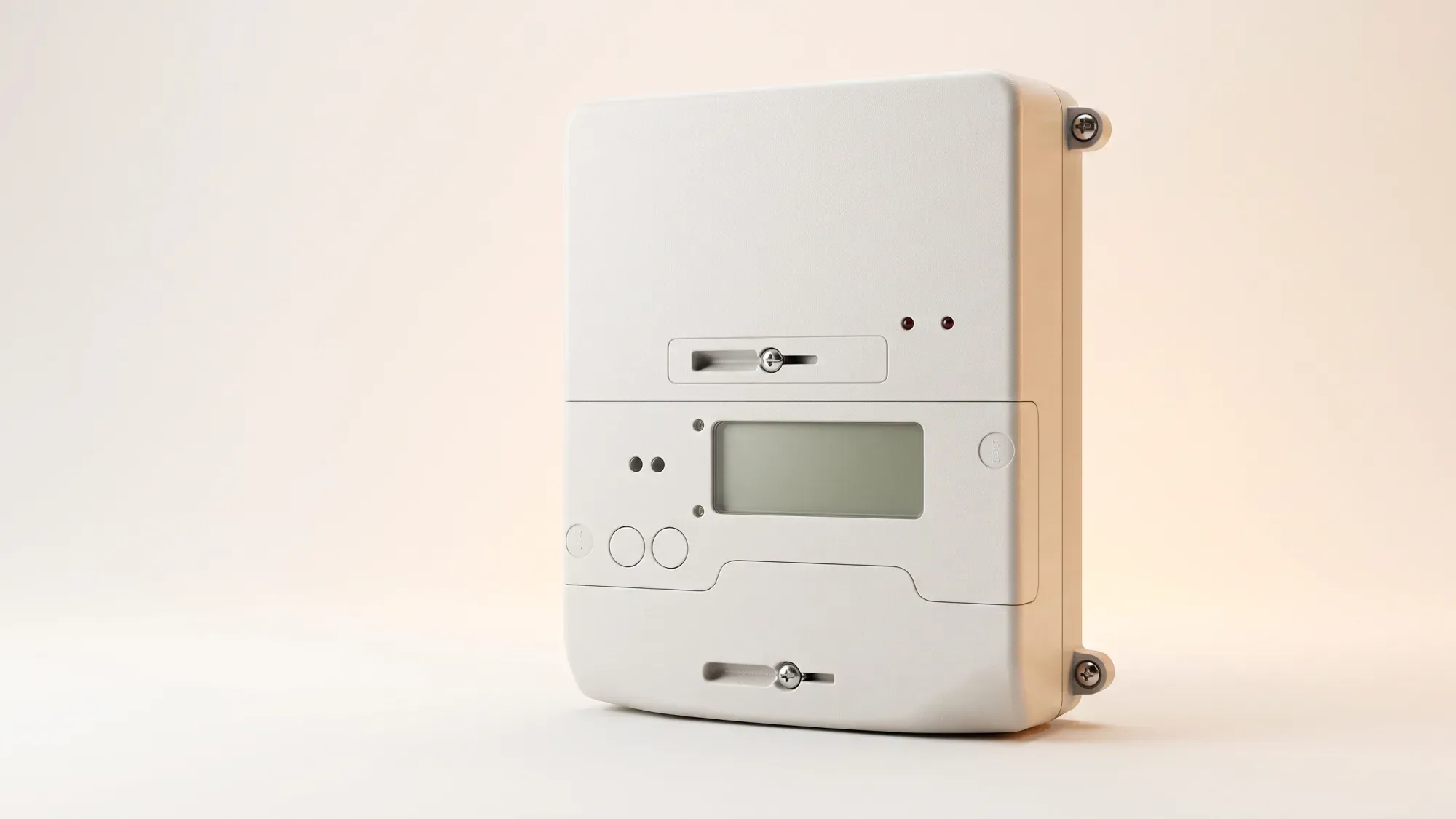
Reading your EDMI smart meter provides valuable insight into your energy usage and billing. While smart meters automatically send readings to your supplier, understanding how to read it yourself offers control and verification over your energy consumption. This guide will walk you through navigating your EDMI meter, interpreting key readings like R1 and R2, and troubleshooting common issues.
Understanding your meter helps you monitor usage and ensures accurate billing. If you're looking for an energy supplier that makes managing your energy simple, Fuse Energy offers clear pricing and in-app usage data. Click here to switch to Fuse Energy today.
Enter your address to get a quote and see how much you could save
Understanding your EDMI smart meter
What is an EDMI smart meter?
EDMI smart meters are devices that automatically record and send your energy readings to your supplier, removing the need for manual meter readings. EDMI is a significant manufacturer of smart meters installed across homes in the UK, playing a crucial role in the national smart meter rollout. Most EDMI smart meters deployed in Great Britain are SMETS2 compliant, meaning they are designed to work with any energy supplier from the outset, making switching easier without losing smart functionality. These meters provide accurate energy consumption data, helping you understand and manage your energy use more effectively.
Why accurate readings matter
Accurate meter readings are fundamental for correct energy billing. Without them, you might receive estimated bills, which can lead to overpaying or underpaying for your energy. Knowing how to read your EDMI meter ensures you can verify your bills, monitor your usage, and submit manual readings if needed - for instance, when moving house or switching suppliers. This empowers you to take control of your energy costs and avoid unexpected charges.
Reading your EDMI electricity meter
Common EDMI electricity models
Common EDMI electricity smart meter models include the ES-30B and ES-10B. These models are designed for the smart meter rollout in Great Britain and are SMETS2 compliant.
Step-by-step guide to display navigation
EDMI meters typically have an "OK" button.
- Access the main menu: Hold the "OK" button until "Billing" appears.
- Enter billing: Hold "OK" again to enter the Billing menu.
- Navigate to advanced: Use the arrow buttons (e.g., '>') to scroll to "Advanced" (usually two pushes of the arrow button), then hold "OK" to enter. "TOUmtrx" will appear.
- Enter TOU matrix: Hold "OK" to enter the TOU matrix sub-menu; "RATE1" will appear.
- View readings: Use the arrow buttons to view "Rate 1" and "Rate 2".
Identifying r1 and r2 readings
If you are on a multi-rate tariff, such as Economy 7, your meter will show two import readings: R1 and R2. "Rate 1" (R1) typically refers to peak, daytime usage, while "Rate 2" (R2) usually refers to off-peak, night-time usage. You must record both readings separately for accurate billing.
How do I find the main reading on my EDMI electricity meter?
To find the main reading, hold the 'OK' button until 'Billing' appears, then hold 'OK' again to enter. Scroll to 'Advanced' using the arrow buttons and hold 'OK'. When 'TOUmtrx' appears, hold 'OK' again. You can then use the arrow buttons to view 'Rate 1' and 'Rate 2' for billing.
To find R1 and R2 readings:
- Follow the steps above to reach "TOUmtrx".
- Hold "OK" again until you see "Rate 1" (R1). Note down the numbers displayed.
- Press the arrow button again to see "Rate 2" (R2). Record this reading too.
Reading your EDMI gas meter
Common EDMI gas models
The EDMI GS60-B is a common gas smart meter model. This model is designed for the residential smart meter rollout in Great Britain and is SMETS2 compliant.
Locating your gas meter reading
EDMI gas meters typically have a single main reading. If the screen is blank, press and hold the "OK" button for 1 to 2 seconds to wake it up. The display screen will illuminate with a number, which is your meter reading. This represents the cumulative usage in cubic metres (m³). For billing purposes, this reading is then converted into kilowatt-hours (kWh) by your supplier.
Interpreting your EDMI readings
What your main reading means for your bill
Your main electricity or gas reading (often Rate 1 for single-rate tariffs) is the primary figure your energy supplier uses for billing. It represents the total amount of energy you've consumed from the grid since the meter was installed. When you submit this reading, your supplier calculates your usage by subtracting your previous reading from the current one. Recording the correct value is crucial for accurate billing and avoiding discrepancies.
Understanding r1 and r2 for multi-rate tariffs
R1 and R2 readings are specifically for multi-rate tariffs, such as Economy 7, where electricity is charged at different rates depending on the time of day. R1 usually records peak-rate consumption (e.g., daytime), while R2 records off-peak consumption (e.g., night-time). If you are on such a tariff, you must provide both R1 and R2 readings to your supplier to ensure you are billed correctly for your peak and off-peak usage. Submitting only one reading will result in inaccurate billing.
When to submit a manual reading
Smart meters are designed to automatically send readings to your supplier, removing the need for manual submissions. However, knowing how to read your meter manually is still useful. You might need to submit a manual reading if you are:
- Moving house: To ensure an accurate final bill.
- Switching suppliers: To provide a precise opening reading for your new supplier.
- Resolving a billing dispute: To verify your supplier's readings or challenge an estimated bill.
- Your smart meter is not sending readings: If your meter is offline or faulty, manual readings may be required.
Troubleshooting Common EDMI meter issues
Display not working or blank
If your EDMI meter display is blank, it might be in sleep mode to conserve battery. Press any button (often the "OK" button) to wake it up. If the display remains blank, especially for a gas meter, it could indicate a low or depleted battery. Energy suppliers are responsible for maintaining and replacing smart meters, including batteries, at no direct cost to the customer. For electricity meters, a consistently blank display might suggest a fault, and you should contact your supplier.
Readings seem incorrect
If your meter readings appear unusually high or low, or if the display seems stuck, there could be an issue with the meter. While meter faults are rare, a sudden, unexplained jump in usage without a change in consumption habits could be a sign. In such cases, contact your energy supplier to investigate.
When to contact your supplier
You should contact your energy supplier if:
- Your gas meter's battery is low or depleted, causing a blank display.
- Your meter displays an error message or code.
- You suspect your meter is faulty or providing inaccurate readings.
- Your smart meter is not sending readings automatically.
For power cuts where your neighbours still have supply, or for any supply fault, you should contact your Distribution Network Operator (DNO) directly, not your energy supplier. You can find your DNO using the Energy Networks Association's postcode tool. Your supplier is responsible for ensuring your meter works correctly and can arrange for an engineer to check or replace it if necessary.
Fuse Energy aims to demystify complex energy topics, empowering you with clear insights into your energy usage. We believe managing your energy bills should be clear and easy to understand. Fuse Energy focuses on straightforward pricing, so you can see exactly what you're paying without unnecessary complexity. If you have a smart meter, you can view detailed usage data through the app or website, helping you understand how you can lower your bills. Our human support team is always on hand with fast response times whenever you need help. Click here to switch to Fuse Energy today. Find out about our mission by clicking here.
Disclaimer
For the avoidance of doubt, this article is provided for informational purposes only and is not intended to constitute legal or financial advice. The author and/or Fuse Energy shall not be responsible for any losses arising out of any reliance on the information contained herein.