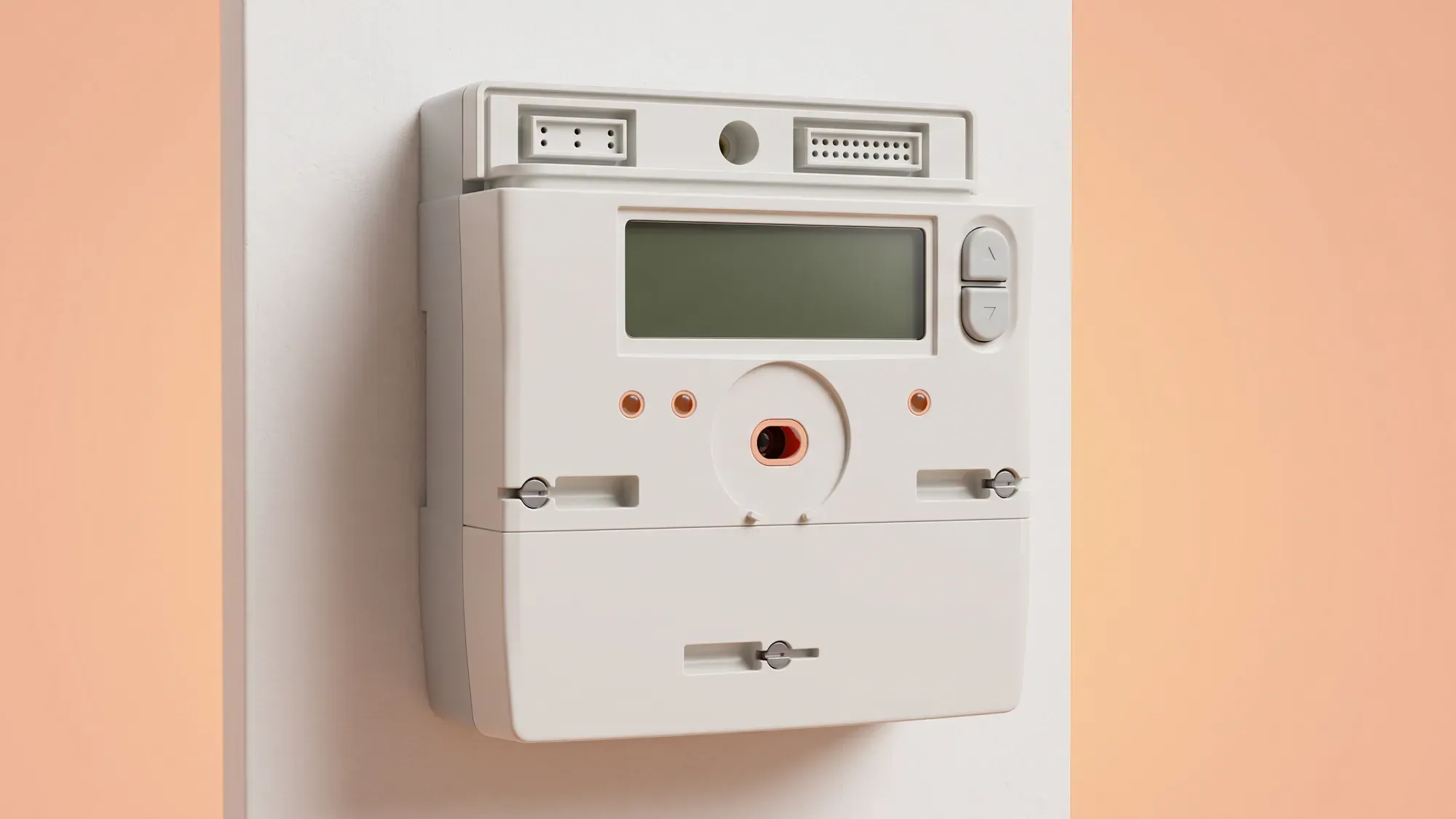
EDMI smart meters are common in UK homes, automatically sending energy readings to your supplier. Knowing how to read your EDMI meter gives you direct insight into your electricity consumption and helps ensure your bills are accurate.
Understanding your EDMI smart meter helps you manage your electricity consumption, and with Fuse Energy, you can make the most of your smart meter data. Click here to switch to Fuse Energy today.
What is an EDMI smart meter?
An EDMI smart meter is a digital electricity meter installed in many UK households. Unlike older, traditional meters, EDMI smart meters are designed to communicate directly with your energy supplier, sending your usage data automatically. This reduces the need for manual meter readings and helps ensure your billing is based on actual consumption, not estimates.
Why accurate meter readings matter
Accurate meter readings are fundamental for precise energy billing and for you to effectively monitor your electricity consumption. Without correct readings, your energy supplier might estimate your usage, which could lead to under or overcharging on your bills. By understanding your readings, you gain control over your energy usage, helping you identify trends and make informed decisions about your consumption. The average UK home uses around 2,500 kWh of electricity per year1, making regular monitoring a sensible habit.
Locating your meter and identifying buttons
First, find your EDMI smart meter. It is usually located near your fuse box or electricity supply intake. You will typically see an 'OK' button and arrow keys (often labelled '>' for right/scroll) on the meter's display panel. These are your primary tools for navigating the meter's menu system.
Navigating the EDMI menu to find readings
Reading your EDMI meter involves a specific sequence of button presses:
- Hold OK until 'Billing' appears (Main Menu); hold OK to enter Billing.
- Use the arrows to scroll to 'Advanced' (two pushes of >); hold OK to enter. 'TOUmtrx' will appear.
- Hold OK to enter the TOU matrix sub-menu; 'RATE1' will appear.
- Use the arrows to view 'Rate 1' and 'Rate 2'.
Interpreting rate 1 and rate 2 readings
If you are on a dual-rate tariff, such as Economy 7, your EDMI meter will display separate readings for different periods. 'Rate 1' and 'Rate 2' typically correspond to these different tariff periods. For example, 'Rate 1' might show your electricity consumption during peak hours, while 'Rate 2' shows usage during off-peak hours when electricity is cheaper. Understanding these separate readings is crucial for managing your energy costs, as the unit price for each rate will differ on your bill.
Connecting readings to your energy bill
Your meter readings are the foundation of your energy bill. For dual-rate tariffs, the separate Rate 1 and Rate 2 readings directly translate into the usage charges for those respective periods. By comparing the readings you take from your meter with the figures on your bill, you can verify the accuracy of your charges. If your readings do not match what is on your bill, it is worth investigating further with your supplier.
Using readings to track your usage
Regularly checking your EDMI meter readings empowers you to track your energy consumption over time. You can note down your readings weekly or monthly and compare them to previous periods. This helps you identify when you are using more or less electricity, allowing you to pinpoint energy-intensive habits or appliances. This insight is invaluable for making adjustments to reduce your overall energy use and manage your costs more effectively.
When smart meters send readings automatically
Smart meters are designed to send readings automatically to your energy supplier, reducing the need for manual submissions. This automation helps ensure your bills are based on up-to-date information. However, knowing how to access and read your meter's display remains useful. It allows you to cross-reference your bills, monitor your usage between billing cycles, and understand your consumption patterns directly from the source. The Radio Teleswitch Service (RTS), which controlled older multi-rate meters, is being phased out from 30 June 2025, making smart meters the standard for managing different tariff rates.
What if my meter display is blank or unresponsive?
If your EDMI meter display is blank or unresponsive, first check if there is a power cut in your area. If other electrical appliances are working, try pressing any button on the meter to wake the display. Sometimes, meters enter a low-power mode. If the display remains blank or unresponsive, it could indicate a fault with the meter itself.
When to contact your energy supplier for help
You should contact your energy supplier if you consistently struggle to get a reading, if your meter display is faulty, or if you suspect your meter is not recording usage correctly. They can provide further assistance, including arranging for an engineer visit if necessary. Fuse Energy offers customer support for assistance with energy-related queries, ensuring you can get help whenever you need it. Empowering customers with clear, actionable instructions on reading their EDMI meter gives them greater control and understanding of their energy data, aligning with Fuse's vision of energy transparency.
Managing your energy bills should be clear and easy to understand. Fuse Energy focuses on straightforward pricing, so you can see exactly what you are paying without unnecessary complexity. If you have a smart meter, you can view detailed usage data through the app or website, helping you understand how you can lower your bills. If you do not have a smart meter, Fuse Energy can upgrade your non-smart meter, completely for free. This can make it easier to track spending and make informed decisions about your energy use. Our support team is always on hand with fast response times whenever you need help. Click here to switch to Fuse Energy today. Find out about our mission by clicking here.