Aclara smart meter: your UK guide
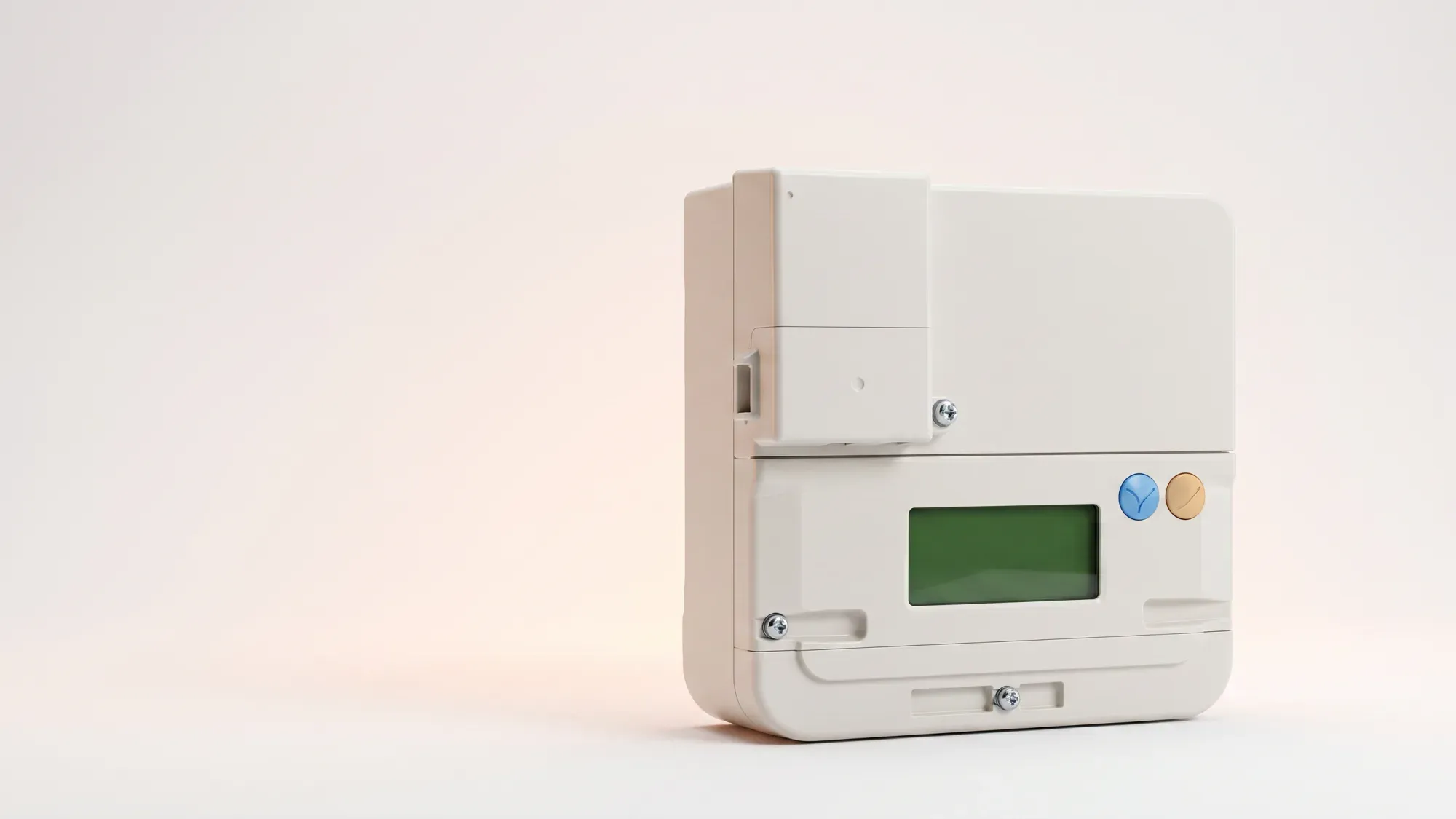
This article demystifies Aclara smart meters for UK domestic customers, explaining their features and benefits. You'll find clear, practical information on how your meter works, how to read it, and what to do if issues arise, cutting through technical jargon to make energy management accessible and actionable.
Enter your address to get a quote and see how much you could save
What is an Aclara smart meter?
An Aclara smart meter is a modern energy meter installed in homes across Great Britain. Aclara is a major manufacturer of these devices, which are designed to bring greater accuracy and insight into your energy consumption. Unlike older, traditional meters, smart meters communicate directly with your energy supplier, automating meter readings and helping to ensure you receive accurate bills.
Aclara's role in the UK smart meter rollout
Aclara plays a significant part in the UK's government-backed smart meter rollout programme, aimed at modernising the energy grid. Their meters are widely deployed, contributing to the national effort to replace older, traditional meters with smart technology. Customers in Great Britain do not choose their specific smart meter model; it is installed by their energy supplier, typically as a free upgrade for eligible homes.
SMETS2 technology explained
Aclara smart meters are SMETS2 compliant, meaning they are Second-Generation smart meters. This is a crucial detail for UK households because SMETS2 meters are designed for interoperability, allowing them to maintain smart functionality even if you switch energy suppliers. This was a common issue with some older SMETS1 meters, which could lose their smart features when a customer changed providers. Ofgem, the UK's energy regulator, sets standards for smart meter installations, operation, and customer protection.
What does SMETS2 mean for my energy supply?
SMETS2 (Second Generation Smart Metering Equipment Technical Specifications) ensures your smart meter remains fully functional, even if you switch energy suppliers. This means you continue to benefit from accurate, automated readings and access to smart tariffs without losing connectivity, providing greater flexibility and control over your energy choices.
How your Aclara smart meter works
Your Aclara smart meter works by digitally recording your electricity and/or gas consumption and securely sending this data to your energy supplier. This eliminates the need for manual meter readings and helps to prevent estimated bills. The meter itself has a display and often a keypad or buttons, allowing you to view your energy usage and other important information directly.
Understanding the display and controls
Aclara smart meters typically feature a digital display that cycles through various screens or can be navigated using buttons. These screens show your current meter readings, sometimes your tariff information, and potentially your in-home display (IHD) connection status. You might see icons or symbols indicating different modes or statuses. Familiarising yourself with these controls is key to getting the most out of your meter.
Remote readings and accurate billing
One of the primary benefits of an Aclara smart meter is its ability to send readings remotely. This means your energy supplier receives regular, accurate updates on your energy use, leading to more precise billing. Smart meters enable accurate, automated meter readings, reducing the need for manual submissions and estimated bills. This can help you avoid unexpected high bills that can result from estimated usage.
Connectivity and data transmission
Your Aclara smart meter communicates with your energy supplier via a secure national smart meter network. This network is separate from your home's Wi-Fi. The meter uses a communications hub, often located on top of your electricity meter, to send data. This ensures your energy usage information is transmitted reliably and securely, forming the backbone of the smart energy system.
Reading your Aclara smart meter
Reading your Aclara smart meter involves navigating its display to find the relevant consumption figures. The exact steps can vary slightly depending on your specific Aclara model (such as the SGC 1311 or SGM1312), but the general principle remains the same.
Finding your electricity reading
To find your electricity reading, you'll typically need to press a button (often labelled 'A' or 'OK') to cycle through the display screens. Look for a screen that shows a number followed by "kWh". This is your current electricity reading. For some models, you might see a series of numbers, with the one labelled 'TOTAL' or 'IMP' (import) being your main reading. Note down all the digits, usually excluding any after a decimal point.
Finding your gas reading
For your gas reading, the process is similar. Press the button to navigate the display until you see a reading followed by 'm³' (cubic metres) or 'ft³' (cubic feet). This indicates your gas consumption. Again, record all the numbers before any decimal point. Your energy supplier converts this volume into kilowatt-hours (kWh) for billing purposes.
Checking your emergency credit or top-up balance
If you have a prepayment smart meter, you can check your emergency credit or current balance on the meter's display. This is usually found by pressing a specific button or sequence of buttons until the relevant balance figure is shown. This feature helps you keep track of your credit and avoid running out of energy.
Common Aclara smart meter issues and troubleshooting
While Aclara smart meters are generally reliable, you might occasionally encounter issues. Understanding common indicators and initial troubleshooting steps can help resolve minor problems quickly.
Flashing lights and beeping sounds
A flashing red light on your Aclara smart meter is often normal. For electricity meters, it usually indicates energy is being used, with the flash rate increasing with higher consumption. For gas meters, a flashing light might signal that the meter is active or in a low-power state. Beeping sounds can sometimes indicate low credit on a prepayment meter or a communication issue. Always check your meter's manual or your energy supplier's guidance for specific meanings related to your model.
Meter not connecting or offline
If your Aclara smart meter is not connecting or appears offline, it might not be sending readings to your supplier. For electricity meters, ensure the meter itself has power and hasn't been accidentally switched off. Gas meters operate on battery power, so this step does not apply to them.
What to do if you have a problem
For persistent issues like a meter not connecting, a blank display, or unusual error messages, the best course of action is to contact your energy supplier's customer support. They can diagnose the problem remotely and advise on next steps, which might include sending an engineer. Remember, a smart meter problem typically indicates a data or communication issue, not a loss of energy supply. Fuse offers customer support via in-app chat to assist with any smart meter queries or issues, including those related to Aclara meters.
Benefits of having an Aclara smart meter
Having an Aclara smart meter offers several advantages for UK households, aligning with the broader goals of the national smart meter rollout.
Greater control over your energy usage
Smart meters provide accurate, near real-time information about your energy consumption. This data, often accessible through an in-home display or your energy supplier's app, empowers you to understand and manage your energy usage more effectively. By seeing how much energy you're using and when, you can make informed decisions to reduce waste and potentially lower your bills. According to Ofgem, the average UK home uses around 2,500 kWh of electricity per year.
Supporting a smarter energy grid
Your Aclara smart meter is a vital component of a modern, smarter energy grid. By providing accurate data, these meters help energy suppliers and network operators manage energy supply and demand more efficiently. This contributes to a more stable and resilient energy system, aligning with the UK's ambitions for a dynamic and efficient energy infrastructure.
Seamless switching between suppliers
Thanks to their SMETS2 compliance, Aclara smart meters ensure that you can switch energy suppliers without losing your smart functionality. This means you can always seek out the best deals and services available, knowing your meter will continue to work seamlessly with your new provider. This flexibility encourages competition in the energy market, ultimately benefiting you, the customer.
Managing your energy bills should be clear and easy to understand. Fuse Energy focuses on straightforward pricing, so you can see exactly what you're paying without unnecessary complexity. If you have a smart meter, you can view detailed usage data through the app or website, helping you understand how you can lower your bills. Our customer support team is always on hand via in-app chat whenever you need help. Click here to switch to Fuse Energy today. Find out about our mission by clicking here.
Disclaimer
For the avoidance of doubt, this article is provided for informational purposes only and is not intended to constitute legal or financial advice. The author and/or Fuse Energy shall not be responsible for any losses arising out of any reliance on the information contained herein.